Taking notes sounds simple—until you’re halfway through a lecture, missing key points, and your notebook turns into a mess of incomplete thoughts. A lot of students struggle with keeping their notes organized, capturing everything the professor says, or even knowing what’s important.
That’s where AI note-taking tools for students come in. Instead of just writing everything down manually, these tools can help you organize notes automatically, summarize lectures, highlight key ideas, and turn messy information into something you can actually study from.
Used the right way, they don’t just make note-taking easier—they make learning more efficient.
Why AI Note-Taking Tools Are Useful for Students
AI note-taking tools aren’t just about convenience. They actually help you learn better if you use them correctly.
Here’s why they’re useful:
- Organize messy notes automatically
Instead of scattered bullet points, AI can structure your notes into clean sections and headings. - Summarize lectures or readings
You don’t have to reread everything—AI can give you the key takeaways instantly. - Capture important ideas automatically
Some tools record and transcribe lectures, so you don’t miss anything. - Improve retention with structured notes
Clean, organized notes are way easier to review before exams. - Save time during and after class
Less time rewriting notes = more time actually studying.
The key thing: these tools support your learning, not replace it. You still need to understand the material—they just make the process smoother.
Best AI Note-Taking Tools for Students
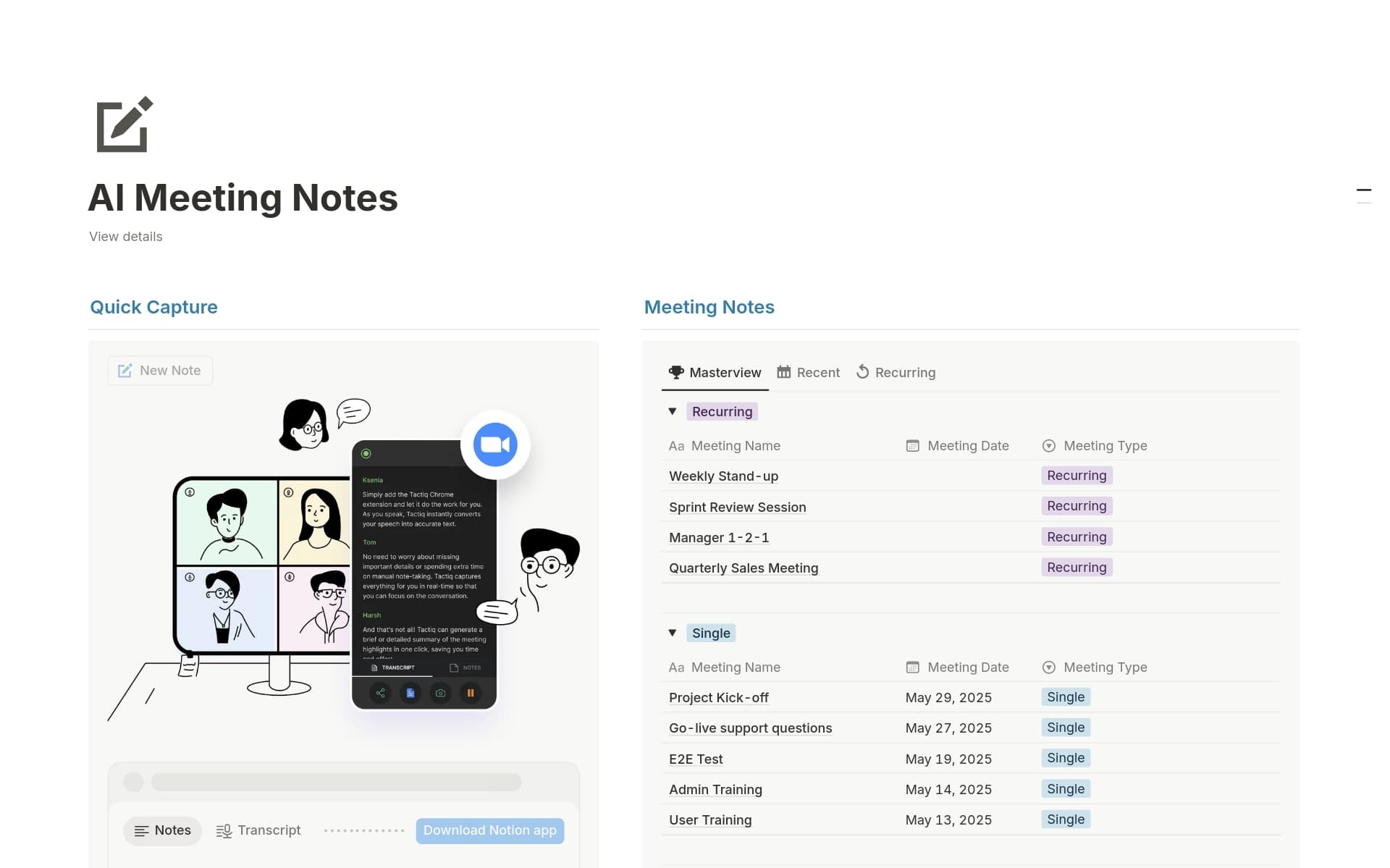
1. Notion AI
What it does:
Notion AI helps you write, organize, and summarize notes inside a flexible workspace.
Why it helps students:
You can turn messy notes into structured summaries, create study guides, and keep everything in one place.
Student use case:
After class, you paste your rough notes into Notion and ask AI to:
- summarize the lecture
- highlight key concepts
- generate a study guide
Limitations:
- AI features are behind a paid plan
- Can feel overwhelming at first
2. Otter.ai

What it does:
Records lectures and converts speech into real-time text.
Why it helps students:
You don’t have to stress about writing everything down—Otter captures it for you.
Student use case:
You record a lecture, then later:
- review the transcript
- search for keywords
- highlight important sections
Limitations:
- Transcription isn’t always perfect
- Needs clear audio for best results
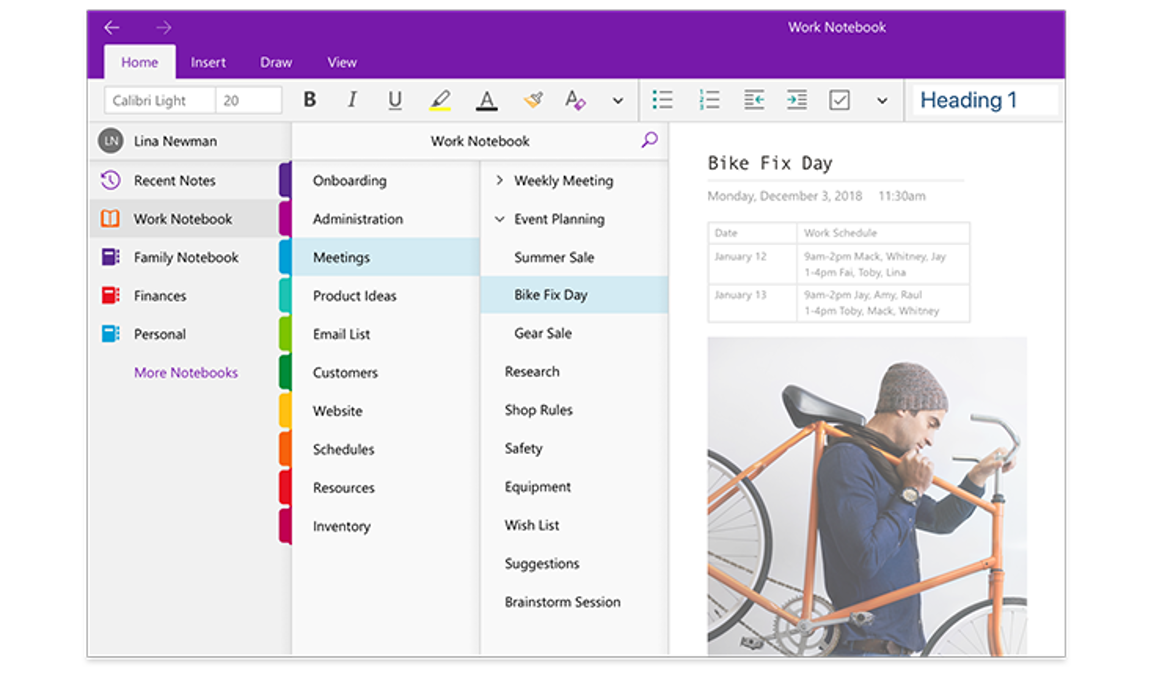
3. Microsoft OneNote (with AI features)
What it does:
A digital notebook with AI features (like Copilot) for summarizing and organizing notes.
Why it helps students:
Great for combining handwritten notes, typed notes, and AI summaries in one place.
Student use case:
You write notes during class (typed or stylus), then use AI to:
- summarize pages
- clean up your notes
- generate key takeaways
Limitations:
- AI features depend on access to Copilot
- Interface can feel cluttered
4. Evernote (AI features)
What it does:
A note-taking app with AI-powered search and summarization features.
Why it helps students:
You can quickly find information across all your notes and generate summaries.
Student use case:
Before an exam, you:
- search a topic across all notes
- generate a quick summary
- review only the most important info
Limitations:
- Many features require a paid plan
- Less flexible than Notion for customization
5. Google Docs (with AI / Gemini features)
What it does:
A simple document editor with AI tools (Gemini) for writing and summarizing.
Why it helps students:
Easy to use, great for collaboration, and already familiar to most students.
Student use case:
You take notes during class, then:
- use AI to summarize the document
- rewrite sections clearly
- collaborate with classmates
Limitations:
- Less powerful organization compared to Notion
- AI features may vary by account access
How to Choose the Right AI Note-Taking Tool
Not every tool is right for every student. It depends on how you study.
- Lecture-heavy classes → Otter.ai
Best if you want recording + transcription. - Organizing everything → Notion AI
Ideal if you want structured notes and study systems. - Handwritten + digital mix → OneNote
Great for tablet users or stylus note-taking. - Quick search + summaries → Evernote
Useful if you want fast access to information. - Simple + collaborative → Google Docs
Best for group work and easy setup.
If you’re just starting, go with something simple like Google Docs or OneNote, then upgrade if needed.
Tips for Taking Better Notes With AI
AI helps—but only if you use it right.
- Don’t rely entirely on AI
Pay attention in class. AI should support your understanding, not replace it. - Review and edit AI-generated notes
Always check for mistakes or missing context. - Combine AI summaries with your own notes
This helps reinforce what you actually understand. - Turn notes into study guides
Ask AI to create summaries, flashcards, or key questions.
Many of these tools also overlap with studying workflows—we also covered this in our guide to Best AI Tools for Studying (2026).
Study Tools That Pair Well With AI
- Whiteboard notebook
Perfect for brainstorming, solving problems, and visualizing concepts without wasted pages while using AI summaries. - Noise cancelling headphones
Helps you stay focused when reviewing notes or listening to recorded lectures. - Laptop stand
Improves posture and makes long study sessions more comfortable.
FAQ
Which AI note-taking tool is best for fast-paced lectures?
Tools with recording and transcription (like Otter.ai) work best for fast lectures because they capture everything in real time. For slower or structured classes, tools like Notion AI or OneNote are better for organizing notes afterward.
When should I use AI: during class vs after class?
During class, use AI mainly to capture information (recording or rough notes). After class is where AI becomes most powerful—summarizing, organizing, and turning notes into study materials.
How do I know if an AI summary missed something important?
Compare it with your original notes or the lecture recording. If something feels “too simplified,” it probably is—AI tends to compress details that might still matter for exams.
Will using AI note-taking tools make me dependent on them over time?
It can if you rely on them passively. The goal is to use AI as a support tool—not a replacement for thinking. If you still review, rewrite, and engage with your notes, AI will actually improve your learning rather than weaken it.
Conclusion
AI note-taking tools are changing how students learn. Instead of struggling with messy notes or missing key details, you can capture information more effectively, stay organized, and study smarter.
The best approach is to use these tools as a support system. Let AI handle the structure and summaries—but make sure you’re still actively learning and understanding the material.
When used correctly, these tools can save you time, reduce stress, and make studying way more efficient. If you’re looking for completely free options, check out our guide to Best Free AI Tools for Students (2026).
3 thoughts on “Best AI Note-Taking Tools for Students (2026)”