Research papers are significantly more demanding than standard essays. Instead of just forming an argument, you’re expected to identify credible academic sources, interpret dense material, synthesize multiple viewpoints, and present evidence-backed conclusions with proper citations. For most students, the difficulty isn’t writing—it’s managing and understanding the research itself.
That’s where AI tools for research papers become valuable. They help you discover relevant sources faster, break down complex academic language, compare findings across studies, and organize everything into a structured workflow. Instead of spending hours stuck on one paper, you can move efficiently through each stage of the research process while still maintaining academic integrity.

Why AI Tools for Research Papers Are Different
Unlike general writing tools, AI tools for research papers are built around information processing rather than just content generation.
Research papers require:
- evaluating source credibility (peer-reviewed vs non-academic)
- understanding technical or domain-specific language
- synthesizing multiple sources into one argument
- maintaining citation accuracy and structure
This introduces a level of complexity that typical essay-writing tools don’t fully address.
AI helps by acting as a research assistant, not just a writing assistant. It can scan large amounts of information, identify patterns across studies, and extract key insights that would normally take hours of reading.
For example, instead of manually reading five 15-page journal articles, you can:
- summarize each paper
- compare methodologies
- extract key findings
- identify overlapping conclusions
If you want a broader view of how AI fits into student workflows overall, check out Best AI Tools for Students (2026)—but research papers specifically require deeper, more structured support.
Best AI Tools for Research Papers
1. ChatGPT
What it does for research:
ChatGPT is most useful for understanding and synthesizing complex academic material, especially when you’re dealing with dense papers or unfamiliar topics.
How it helps with research papers:
You can paste sections of research papers and ask for:
- simplified explanations of complex concepts
- summaries of methodology and results
- comparisons between multiple studies
- help structuring a literature review
It’s particularly strong at turning technical language into something readable, which is critical when you’re working across disciplines.
Higher-level student use case:
A graduate student writing a literature review inputs summaries from 6 different papers and asks ChatGPT to identify common themes, contradictions, and research gaps—which becomes the foundation of their argument.
Limitations:
ChatGPT is not a source database. It does not reliably generate accurate citations or guarantee factual correctness, so it should be used for interpretation and structuring—not sourcing.
2. Perplexity AI
What it does for research:
Perplexity functions as an AI-powered research search engine, making it one of the best tools for actually finding sources.
How it helps with sources and summaries:
It provides:
- direct answers with linked sources
- summarized insights from multiple references
- quick access to supporting evidence
This is especially useful during the early stages of a research paper, when you’re trying to understand what’s already been studied.
Higher-level student use case:
An undergraduate writing a psychology research paper uses Perplexity to:
- identify relevant studies
- quickly understand findings
- follow citations into deeper academic sources
It essentially reduces the time spent navigating between tabs and databases.
Limitations:
Not all sources are guaranteed to be peer-reviewed. You still need to verify credibility using academic databases like Google Scholar or university libraries.
👉 We also covered general writing tools in Best AI Tools for Essay Writing (2026).
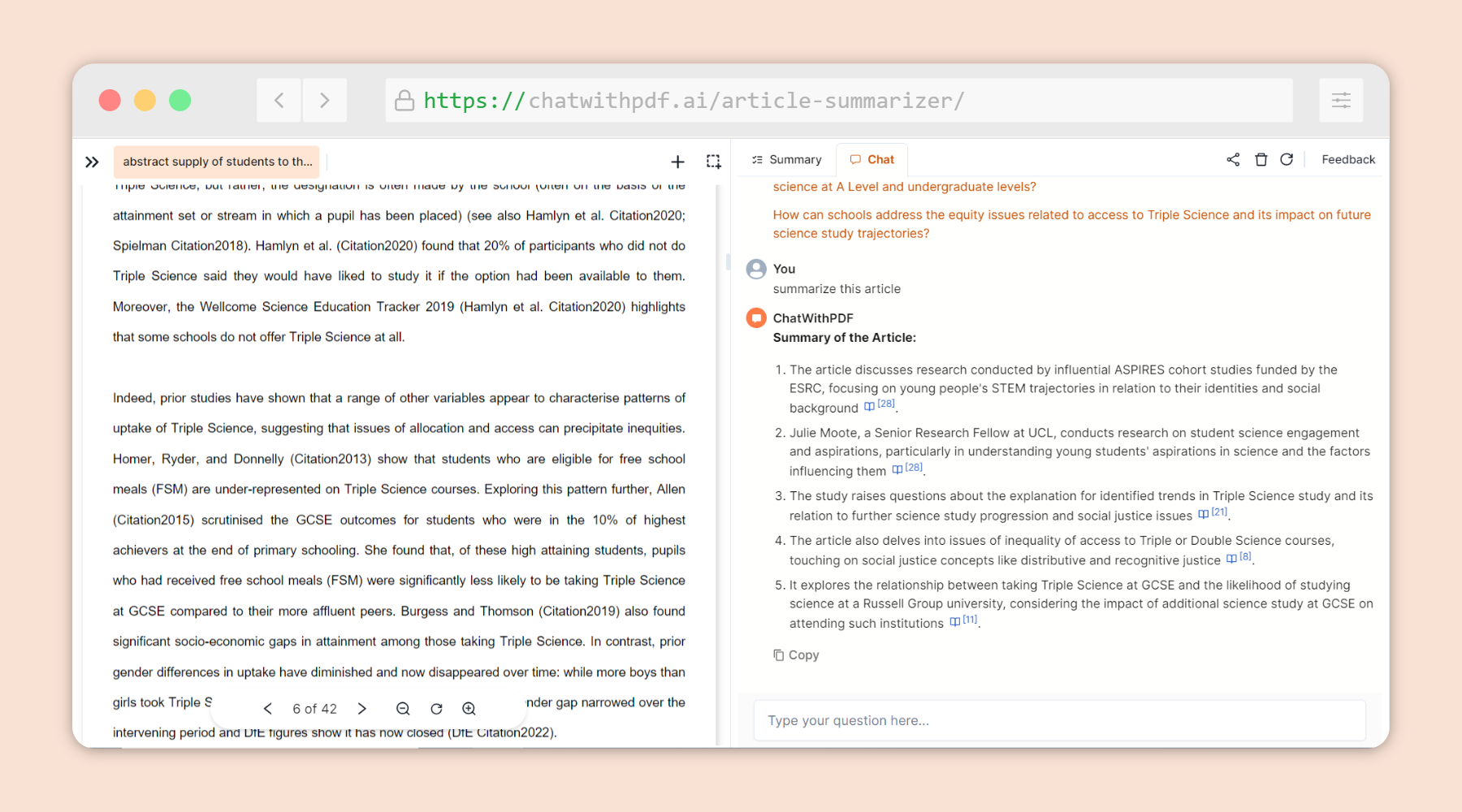
3. Notion AI
What it does for research:
Notion AI is best for organizing and structuring your research workflow, which becomes critical as your number of sources grows.
How it helps with organization:
You can create a centralized system that includes:
- source tracking (links, authors, summaries)
- categorized notes by theme or topic
- structured outlines for your paper
- draft sections tied directly to research
Instead of scattered Google Docs and tabs, everything lives in one place.
Higher-level student use case:
A student working on a 12-page research paper builds a Notion workspace with:
- a database of sources
- AI-generated summaries for each paper
- categorized sections for their literature review
This makes it easy to transition from research → writing without losing information.
Limitations:
Notion doesn’t help you discover sources—it’s a system for managing what you already have.
4. Grammarly
What it does for research:
Grammarly focuses on polishing academic writing, which is essential for clarity and credibility in research papers.
How it helps:
It improves:
- sentence structure
- tone (formal vs informal)
- clarity of arguments
- grammar and readability
Even strong research can lose impact if the writing is unclear or inconsistent.
Higher-level student use case:
A student finishing a research paper uses Grammarly to refine:
- transitions between sections
- clarity of thesis statements
- overall academic tone
This ensures the final paper reads professionally.
Limitations:
It does not assist with research, sourcing, or analysis—only writing quality.
👉 If you’re using AI across assignments, check out Best AI Tools for Homework (2026).
5. Google Docs (Gemini AI)
What it does for research:
Google Docs with Gemini AI helps bridge the gap between research and writing directly inside your document.
How it helps:
You can:
- expand rough notes into structured paragraphs
- rewrite sections for clarity
- organize ideas into logical flow
Because it’s integrated into your writing environment, it’s useful during the drafting and revision stages.
Higher-level student use case:
A student drafts a rough literature review, then uses Gemini AI to:
- improve transitions between sources
- restructure paragraphs for clarity
- maintain consistency across sections
Limitations:
It’s not designed for deep research or source discovery—its strength is editing and drafting.
How to Choose the Right AI Tool for Research Papers
Choosing the right tools depends on where you are in the research process.
- Finding sources → Perplexity
- Understanding content → ChatGPT
- Organizing research → Notion AI
- Improving writing → Grammarly / Google Docs
The key is not relying on one tool, but building a workflow:
source discovery → comprehension → organization → writing → editing
Many students struggle because they try to use a single tool for everything, instead of combining tools for different stages.
Tips for Using AI for Research Papers

AI can significantly speed up research—but misuse can hurt your paper.
- Always verify sources before citing them
- Never rely on AI-generated citations without checking
- Read original papers when accuracy matters
- Use AI to understand, not replace thinking
- Rewrite everything in your own words
For research papers, accuracy > speed. AI should support your process, not shortcut it.
Study Tools That Pair Well With AI
- Student productivity planner – Helps break large research projects into manageable steps, from topic selection to final draft
- Sticky note study planner – Useful for mapping out arguments, tracking sources, and visualizing structure
FAQ
Can AI help find peer-reviewed sources?
Yes, AI tools like Perplexity AI can help you quickly discover relevant studies and articles, which is especially useful when starting a research paper. However, not all results are guaranteed to be peer-reviewed. You should always verify sources by checking where they’re published—such as academic journals or databases like Google Scholar—before using them in your paper.
How do you verify AI-generated research?
You should treat AI as a starting point, not a final source. Always cross-check key information with reliable academic sources, and whenever possible, read at least parts of the original papers (like the abstract or conclusion). AI summaries are helpful, but they can sometimes miss context or oversimplify findings.
Is AI safe for literature reviews?
Yes, AI is very useful for literature reviews because it can summarize multiple papers and help identify patterns across studies. However, you should still review the original sources to ensure accuracy. AI should support your understanding—not replace it—especially when you’re forming your own analysis.
How do you avoid plagiarism with AI?
The key is to use AI for understanding, not copying. Never paste AI-generated text directly into your paper. Instead, rewrite everything in your own words and properly cite your sources. This keeps your work original and aligned with academic integrity standards.
Conclusion
Research papers require you to manage large amounts of information, evaluate sources carefully, and build clear, evidence-based arguments. That process can be overwhelming, especially when you’re dealing with complex topics or multiple academic sources.
AI tools make this process more manageable by helping you find sources faster, understand difficult material, and stay organized throughout your research. Instead of getting stuck on one paper or spending hours searching for information, you can move through your workflow more efficiently.
That said, AI works best when combined with your own critical thinking. You still need to verify sources, interpret findings, and write in your own voice. When used correctly, AI doesn’t replace your effort—it enhances it.
In the end, the goal isn’t just to finish your research paper faster, but to produce stronger, more credible work. AI simply helps you get there with less friction and more clarity.
1 thought on “Best AI Tools for Research Papers (2026)”