Writing essays is one of the most common—and frustrating—parts of being a student. Whether you’re staring at a blank page, struggling to organize your ideas, or trying to meet a deadline at the last minute, essay writing can feel overwhelming.
That’s where AI tools for essay writing come in. In 2026, students have access to tools that can help generate ideas, structure essays, improve clarity, and edit drafts faster than ever before. Instead of replacing your work, these tools act like a writing assistant—helping you think more clearly and write more effectively.
Used the right way, AI can help you write better essays and save time.

Why AI Tools for Essay Writing Are Useful
AI tools aren’t just about speed—they’re about improving how you write.
One of the biggest advantages is overcoming writer’s block. When you don’t know how to start, AI can suggest ideas or opening paragraphs to get you moving. From there, it becomes much easier to build momentum.
They’re also great for generating outlines. Instead of spending 30 minutes figuring out structure, you can get a clean outline in seconds and focus on actually writing.
Editing is another huge benefit. AI tools can improve grammar, clarity, and flow in ways that make your writing sound more polished without changing your voice too much.
On top of that, they help refine tone and structure. Whether your essay needs to sound formal, analytical, or persuasive, AI can guide you toward the right style.
That said, the goal isn’t to let AI do everything. The real value comes from using AI to support your thinking, not replace it.
If you’re new to using tools like this, you can also check out our guide to Best AI Tools for Students (2026) for a broader overview.
Best AI Tools for Essay Writing
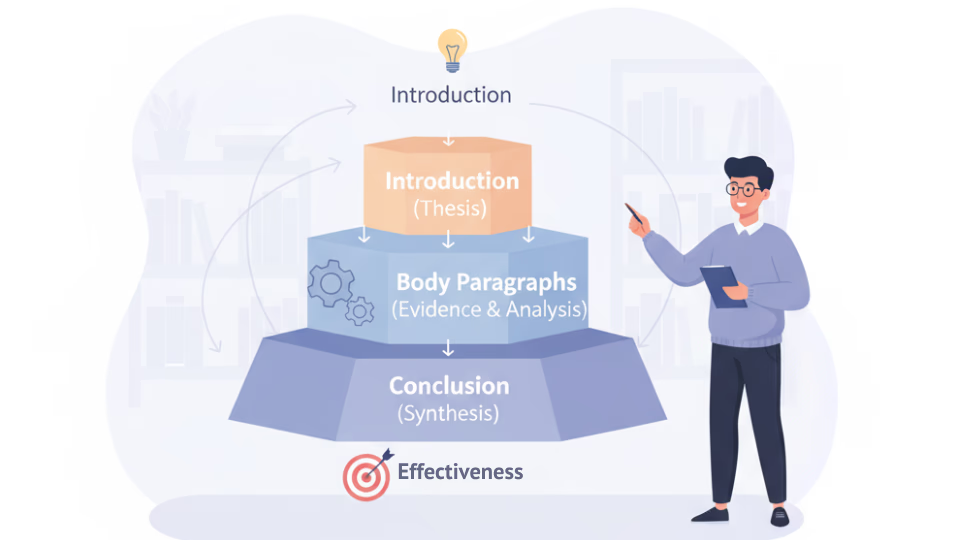
Here are some of the most useful tools students are using right now, along with how they actually fit into real essay workflows.
ChatGPT
What it does:
Helps with brainstorming, outlining, drafting, rewriting, and explaining ideas.
Why it helps students:
ChatGPT is basically your “thinking partner.” The biggest struggle with essays isn’t writing—it’s figuring out what to say. This tool removes that friction by helping you start.
Real student workflow (this is key):
Let’s say you get a prompt like:
“Discuss the impact of social media on mental health.”
Instead of staring at a blank doc:
- Ask ChatGPT for 3 thesis statements
- Pick one that actually makes sense to you
- Ask for a structured outline (intro, body paragraphs, conclusion)
- Then write each section yourself using that structure
Later, you can paste your rough draft and ask:
“Make this clearer but keep my tone”
Where it really shines:
- Starting essays from scratch
- Turning messy thoughts into structured arguments
- Rewriting awkward paragraphs
Limitations (important):
- Can sound generic if you copy it directly
- Sometimes makes up facts or examples
- Not great for citations unless you verify everything
👉 Best use = idea generation + structure, not final submission
Grammarly
What it does:
Fixes grammar, improves clarity, adjusts tone, and makes writing more readable.
Why it helps students:
Most students don’t lose points because of bad ideas—they lose points because their writing is unclear. Grammarly fixes that instantly.
Real student workflow:
- Write your full essay normally (even if it’s messy)
- Run it through Grammarly
- Accept suggestions that improve clarity, not just correctness
Example:
- Before: “This shows how people is affected in many ways by social media usage.”
- After: “This shows how social media affects people in several ways.”
Where it really shines:
- Final draft polishing
- Fixing awkward sentences
- Improving flow between paragraphs
Limitations:
- Doesn’t help with ideas or structure
- Can over-correct tone if you blindly accept everything
👉 Best use = final editing + clarity boost
Notion AI
What it does:
Turns messy notes into structured content, outlines, or summaries.
Why it helps students:
If you’re the type who dumps random thoughts everywhere, Notion AI is insanely useful for organizing that chaos into an actual essay plan.
Real student workflow:
- Take messy notes while researching
- Paste everything into Notion
- Use AI to turn it into:
- an outline
- topic sentences
- structured sections
Where it really shines:
- Organizing ideas before writing
- Structuring essays logically
- Connecting notes to writing
Limitations:
- Not as strong for full essay writing
- Works best if you already have content
👉 Best use = organization + planning stage
QuillBot
What it does:
Paraphrases and rewrites sentences in different styles.
Why it helps students:
Sometimes your ideas are good—but your wording isn’t. QuillBot helps you say the same thing better.
Real student workflow:
- Write your paragraph normally
- Paste it into QuillBot
- Choose a mode (standard, fluency, formal)
- Use the improved version as inspiration—not a copy
Where it really shines:
- Fixing repetitive writing
- Improving sentence flow
- Rewriting awkward phrasing
Limitations:
- Overuse can make writing feel unnatural
- Not good for generating original ideas
👉 Best use = rewriting + clarity improvements
Google Docs (Gemini AI)
What it does:
Built-in AI assistance while you’re writing directly in Google Docs.
Why it helps students:
This is the most seamless option. You don’t need to switch tabs—it’s right where you’re writing.
Real student workflow:
- Start writing your essay normally
- Highlight a weak paragraph
- Ask Gemini to:
- expand it
- clarify it
- improve tone
Where it really shines:
- Real-time writing help
- Improving sections without leaving your doc
- Quick edits during writing
Limitations:
- Not as powerful as dedicated tools
- Still improving compared to others
👉 Best use = in-the-moment writing support
How to Choose the Right AI Writing Tool
Not every tool is right for every student, so it depends on what you actually need.
If you struggle with brainstorming, tools like ChatGPT are the best starting point. They help generate ideas quickly and give you direction.
If your writing is already solid but needs polishing, Grammarly or QuillBot will be more useful. These tools focus on improving clarity and flow rather than creating content.
Some students prefer simple tools that are easy to use, while others want advanced features like outlining, rewriting, and integration with notes. Think about how much help you actually want.
Collaboration can also matter. If you work on shared documents or group projects, tools built into platforms like Google Docs might be more convenient.
Lastly, consider free vs paid options. Many tools have strong free versions, which we break down in Best Free AI Tools for Students (2026).
Tips for Using AI for Essay Writing (Important)
AI can be incredibly helpful—but only if you use it the right way.
First, don’t submit fully AI-generated essays. Most schools consider that academic dishonesty, and it also prevents you from actually learning.
Instead, use AI for ideas and structure. Let it help you think, but make sure the final writing reflects your own understanding.
Always edit and personalize what AI gives you. Even good outputs can sound generic if you don’t adjust them.
Fact-check everything. AI can make mistakes, especially with specific facts or sources.
Most importantly, use AI to improve your thinking. The best students use AI as a tool to learn faster—not as a shortcut to avoid learning.
Study Tools That Pair Well With AI
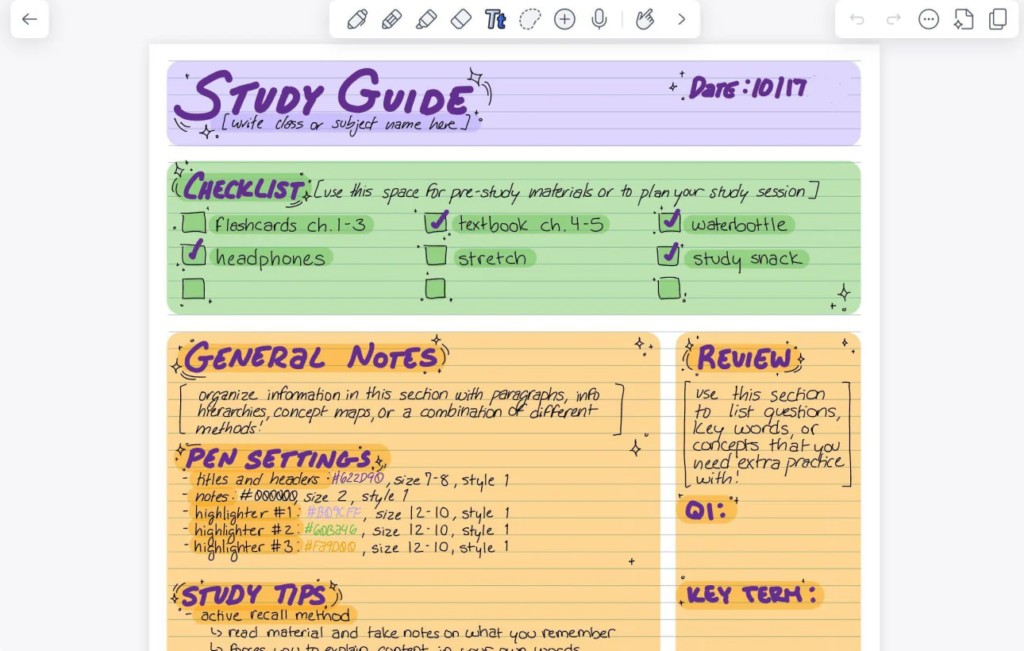
These simple tools can make your AI-assisted workflow even better:
• Student productivity planner – helps you break essays into smaller tasks like brainstorming, outlining, drafting, and editing so you don’t leave everything until the last minute.
• Sticky note study planner – great for visualizing your essay structure by mapping out ideas, arguments, and key points in a flexible, easy-to-rearrange way.
• Pomodoro timer – keeps you productive by breaking writing into focused intervals with short breaks.
FAQ
Is using AI for essays considered cheating?
It depends on how you use it. Using AI for brainstorming, outlining, or editing is usually acceptable, but submitting fully AI-generated work as your own is often considered cheating. Always follow your school’s guidelines.
How can AI help without doing the work for you?
AI can guide your thinking by suggesting ideas, improving structure, and refining your writing. You still need to understand the topic and write in your own voice.
Can AI actually improve your writing skills over time?
Yes—if you use it actively. By comparing your writing to AI suggestions, you can learn better sentence structure, clarity, and organization.
What’s the best way to edit an essay using AI?
Start by writing your own draft, then use tools like Grammarly or ChatGPT to refine clarity and flow. Review each suggestion instead of accepting everything automatically.
Conclusion
Essay writing doesn’t have to feel overwhelming anymore.
With the right AI tools for essay writing, you can start essays faster, organize your ideas more clearly, and produce higher-quality work in less time. More importantly, you can reduce stress and feel more confident in your writing.
The key is using AI as a support system—not a shortcut.
When used correctly, these tools don’t replace your effort—they make your effort more effective.
3 thoughts on “Best AI Tools for Essay Writing (2026)”