
You sit down to study, open your laptop, and within seconds you’ve already asked AI for the answer. No confusion, no struggle, just a clean explanation instantly. It feels efficient, like you’ve found a smarter way to learn. But later, when you try to solve something on your own, you pause… and realize you don’t actually know what to do.
That’s the situation a lot of students are quietly running into. The problem isn’t AI itself—it’s not knowing how to use AI without getting lazy.
AI is powerful enough to do two completely different things depending on how you use it:
- It can accelerate your understanding and make you sharper
- Or it can slowly replace your thinking without you noticing
And the dangerous part is that both paths feel productive at first.
This guide isn’t another “AI is good vs bad” take. You’ll get a clear system you can actually follow—one that helps you learn faster without becoming dependent.
Quick Answer: How to Use AI Without Getting Lazy
If you want a simple rule set to follow, it comes down to this:
- Use AI to understand concepts, not complete your work
- Always try first before asking AI anything
- Use AI to check and refine your thinking, not replace it
- Combine AI with practice, repetition, and active recall
In one sentence:
AI should make your thinking stronger, not unnecessary.
Why Students Become Dependent on AI
Dependency doesn’t come from laziness—it comes from how naturally AI fits into your workflow. The moment you realize you can get instant answers, your brain starts optimizing for speed instead of understanding. You ask a question, get a perfect explanation in seconds, and move on. That loop feels productive, but it quietly trains you to avoid effort.
There are a few key reasons this happens so quickly:
- Instant feedback becomes addictive → you stop tolerating confusion
- Effort feels optional → because answers are always one prompt away
- Speed gets rewarded → even if understanding is shallow
At the same time, you’re losing something important: productive struggle. Real learning comes from:
- trying and failing
- working through confusion
- slowly connecting ideas
When AI removes that process, you skip straight to clarity without building depth. That’s why you can read an explanation and feel like you “get it,” but still struggle to apply it later.
Over time, convenience becomes your default. Instead of:
- think → try → struggle → solve
you shift to:
- ask → read → move on
That’s the moment when AI stops being a tool and starts becoming a crutch. This is also why conversations about AI for students pros and cons miss the real issue—the problem isn’t AI, it’s replacing the learning process.
How to Use AI Without Getting Lazy (Proven Study System)
If you want to use AI properly, you need a system. Not motivation, not discipline—a repeatable process you follow every time you study.
The most effective way to structure it looks like this:
- Start by using AI to understand the concept clearly
- Then remove AI and force yourself to apply it independently
- Bring AI back only to check mistakes and refine your thinking
- Repeat this loop until you can perform without help
What this looks like in practice is simple but powerful. You might open AI and ask for a clean explanation with examples until things click. But once you reach that point, you close it completely and try problems on your own. No hints, no checking—just your own thinking. This is the step most students skip, and it’s the most important one.
After attempting, you use AI again—but differently. Instead of asking for answers, you ask:
- where your reasoning broke
- why your approach didn’t work
- how to fix specific gaps
That shift turns AI into a feedback system instead of a shortcut.
The reason this works is because it mirrors how learning actually happens:
- you take in information
- you try to use it
- you get feedback and adjust
AI fits into that loop without replacing any part of it. That’s how to use AI for studying effectively while still building real skill.
Good vs Bad AI Usage
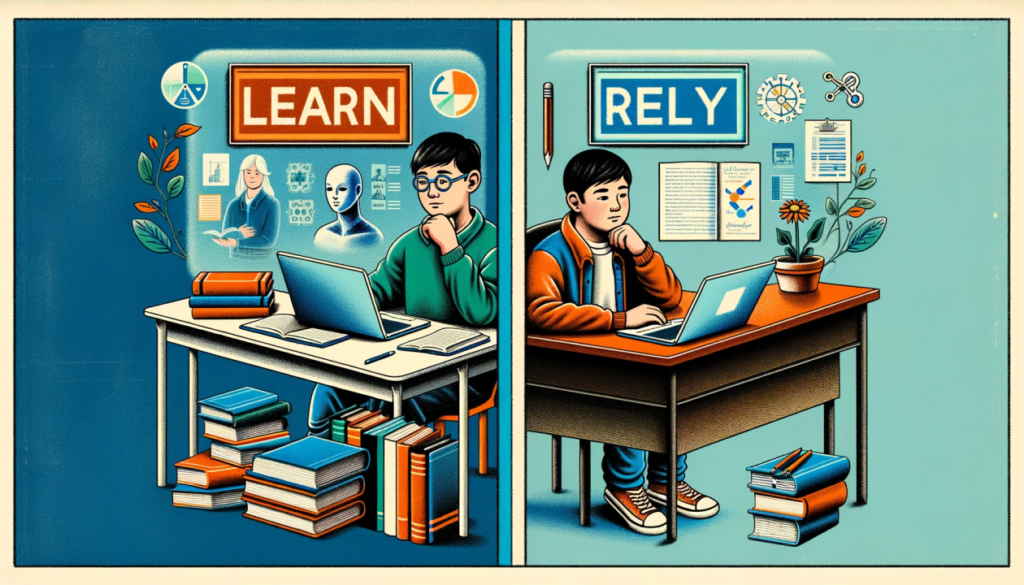
The difference between getting smarter with AI and getting dependent on it comes down to how you use it in small moments.
Bad usage usually looks like this:
- going to AI immediately without attempting anything
- copying answers and moving on quickly
- letting AI complete assignments or thinking steps
- skipping practice because the explanation “made sense”
This creates a false sense of progress. You feel like you’re moving fast, but your ability to think independently is actually declining.
Good usage, on the other hand, is much more intentional:
- you ask for explanations until concepts are clear
- you generate extra problems to practice
- you test yourself before checking anything
- you use AI to analyze mistakes instead of avoid them
A simple way to check yourself is this:
- If AI is doing the work → you’re losing skill
- If AI is improving your process → you’re gaining skill
That distinction is everything.
Real Student Workflow (What This Actually Looks Like)
Most advice sounds good in theory but doesn’t translate into actual study sessions. So here’s what this looks like when you’re really using AI correctly.
You might start by opening ChatGPT to learn a concept, asking for a breakdown with examples until it makes sense. Then you switch to Claude to get a slightly different explanation or a deeper perspective, which helps solidify your understanding instead of relying on one source.
After that, you close everything and move into practice mode. This is where you solve problems completely on your own, without checking or asking for help. It’s slower, and sometimes frustrating, but this is where real learning happens.
Once you’re done, you go back to AI—but now you use it to review your work. You look at:
- where you made mistakes
- why your logic didn’t hold
- how to fix your approach
That loop keeps you in control while still getting the benefits of AI.
If you want to understand which tools fit into this workflow best, you can check out How to Use AI for Studying (2026) | Step-by-Step Workflow or a direct comparison like ChatGPT vs Claude for Students (2026).
Common Mistakes Students Make
Even students who try to use AI responsibly fall into patterns that hurt their learning.
One of the biggest is using AI too early. If AI is your first move instead of your second, you’re skipping the part where your brain actually works through the problem. Another common issue is not verifying AI outputs—just because something sounds right doesn’t mean it is, and blindly trusting it can lead to gaps in understanding.
A more subtle mistake is confusing recognition with understanding. Reading a clean explanation and thinking “that makes sense” feels like progress, but real understanding means you can:
- explain it yourself
- apply it in a new situation
- solve problems without guidance
There’s also the habit of turning AI into a default shortcut. Once your instinct becomes “ask AI first,” you stop engaging deeply. That’s when dependency starts building, even if everything still feels productive on the surface.
Study Tools That Pair Well With AI

Using AI effectively isn’t just about software—it’s about creating an environment that supports focus and discipline.
- Blue light glasses -> help reduce eye strain during long sessions, especially when you’re switching between AI, notes, and practice problems for hours
- Student planner -> give structure to your workflow so you’re not just reacting to tasks—you’re deciding when to use AI and when to practice independently
- Noise-cancelling headphones -> remove distractions, which is important because distraction often leads to shortcut behavior (and more reliance on AI)
When you combine these with systems from Best AI Tools for Studying (2026), you create a setup where AI enhances your workflow instead of controlling it.
How to Know If You’re Using AI Correctly
The easiest way to evaluate yourself isn’t by how productive you feel—it’s by what you can do without AI.
You’re using AI correctly if:
- you can solve similar problems on your own
- you can explain concepts clearly without help
- your reliance on AI is decreasing over time
- you understand your mistakes instead of just seeing corrections
If those aren’t happening, then even if you feel productive, you’re likely becoming dependent.
FAQ
Is using AI for studying considered cheating?
It depends entirely on how you use it. Using AI to understand concepts, check your work, or generate practice is completely valid. Using it to produce answers you submit as your own crosses into using AI without cheating territory you should avoid.
How should students use ChatGPT without becoming dependent?
Delay using it. Always attempt problems first, then use it to check and refine. Treat it like a tutor you consult after effort, not before. That’s the core of how students should use ChatGPT properly.
Can AI actually improve long-term learning?
Yes, but only when paired with active effort. AI speeds up understanding, but retention still depends on practice, repetition, and struggle.
What’s the biggest risk of overusing AI?
You lose your ability to think through problems independently. You start recognizing patterns instead of generating solutions.
Should I use multiple AI tools or stick to one?
Using multiple tools can give better perspectives, but only if you’re still doing independent thinking. Otherwise, it just increases dependency.
Conclusion
AI isn’t making students worse. Misusing it is.
If you rely on AI for answers, you’ll slowly lose your ability to think independently. But if you use it to sharpen your understanding and refine your process, you’ll learn faster than ever.
The difference comes down to one system:
- understand with AI
- practice without it
- check and refine
Stick to that, and you won’t just avoid dependency—you’ll actually get ahead.
That’s how to use AI without getting lazy.
6 thoughts on “How to Use AI Without Getting Lazy (2026) | Student Guide”