
College isn’t just about going to class anymore — it’s about managing everything at once. You’re juggling lectures, assignments, exams, group projects, internships, and somehow still trying to stay consistent with your personal life. Most students don’t fall behind because they aren’t capable — they fall behind because there simply isn’t enough time.
That’s exactly why AI tools have become so popular.
The best AI tools for college students aren’t just “nice to have” anymore — they’re becoming essential for staying efficient and competitive. Instead of spending hours stuck on one assignment or re-reading notes that don’t make sense, you can use AI to speed up your workflow, understand concepts faster, and produce higher-quality work with less stress.
This isn’t about replacing effort. It’s about removing unnecessary friction so you can focus on what actually matters — learning, improving, and getting ahead.
This guide focuses specifically on college students. If you’re looking for a broader list across all student types, check out Best AI Tools for Students (2026).
How College Students Are Actually Using AI (And Doing It Right)
College students aren’t using AI just because it’s trending — they’re using it because it solves real problems. ThCollege students aren’t using AI just because it’s trending — they’re using it because it solves real problems. The workload is heavy, deadlines stack up quickly, and it’s easy to fall behind if you’re doing everything the traditional way.
AI changes that by removing a lot of the friction in your workflow.
Instead of spending hours trying to understand one confusing concept, students use AI to break it down instantly. Instead of rewriting the same paragraph over and over, they use AI to refine their ideas faster. Instead of juggling notes, tasks, and deadlines across multiple places, they centralize everything into one system.
If you want to see exactly how this looks in practice, check out: How Students Use AI Effectively in 2026 — it breaks down real workflows you can actually copy.
But the students who benefit the most aren’t the ones using AI the most — they’re the ones using it correctly.
They use AI to:
- Break down difficult material when they get stuck
- Turn rough notes into structured study content
- Speed up brainstorming and outlining
- Improve clarity in their writing
- Stay organized across multiple classes
At the same time, they’re still actively involved in their work. They’re not copying answers or skipping the learning process — they’re using AI to support their thinking, not replace it.
That balance is what makes AI powerful. When used this way, it doesn’t make you lazy — it makes you more efficient without sacrificing understanding.
Best AI Tools for College Students

ChatGPT
ChatGPT is the most versatile AI tool you can use in college, and for most students, it becomes the center of their entire workflow.
What makes it so powerful is that it adapts to whatever you need. Whether you’re trying to understand a difficult concept, write an essay, or review material before an exam, it can handle all of it in one place.
For studying, it acts like a tutor. You can paste in notes or ask questions and get clear, step-by-step explanations. If something doesn’t make sense, you can ask it to simplify or explain it differently — something you can’t do with a textbook. If you want more tools specifically for studying workflows, check out Best AI Tools for Studying (2026).
For writing, it helps you move faster without lowering quality. You can use it to brainstorm ideas, generate outlines, and refine arguments. Instead of staring at a blank page, you start with structure and build from there.
- Explains complex topics in simple terms
- Summarizes lectures, readings, and notes
- Generates practice questions and study guides
- Helps brainstorm and structure essays
- Rewrites content for clarity and flow
The biggest advantage is how much time it saves. Tasks that normally take an hour can often be done in minutes when you use it correctly.
Notion AI
Notion AI is one of the best tools for students who struggle with organization and consistency.
College isn’t just about doing the work — it’s about keeping track of everything. Assignments, deadlines, notes, and study plans can quickly become overwhelming if you don’t have a system.
That’s where Notion AI stands out. It turns your notes and tasks into a structured system that’s easy to manage and update.
Instead of having scattered notes across different apps, you can keep everything in one place — and use AI to summarize, organize, and expand on your content.
- Automatically summarizes long notes
- Turns messy ideas into structured outlines
- Helps plan assignments and study schedules
- Keeps track of deadlines and priorities
- Builds a centralized system for all your classes
Over time, this becomes less of a tool and more of your academic “hub” — everything flows through it.
Grammarly
Grammarly is one of the simplest tools on this list, but it’s also one of the most impactful — especially if you do a lot of writing.
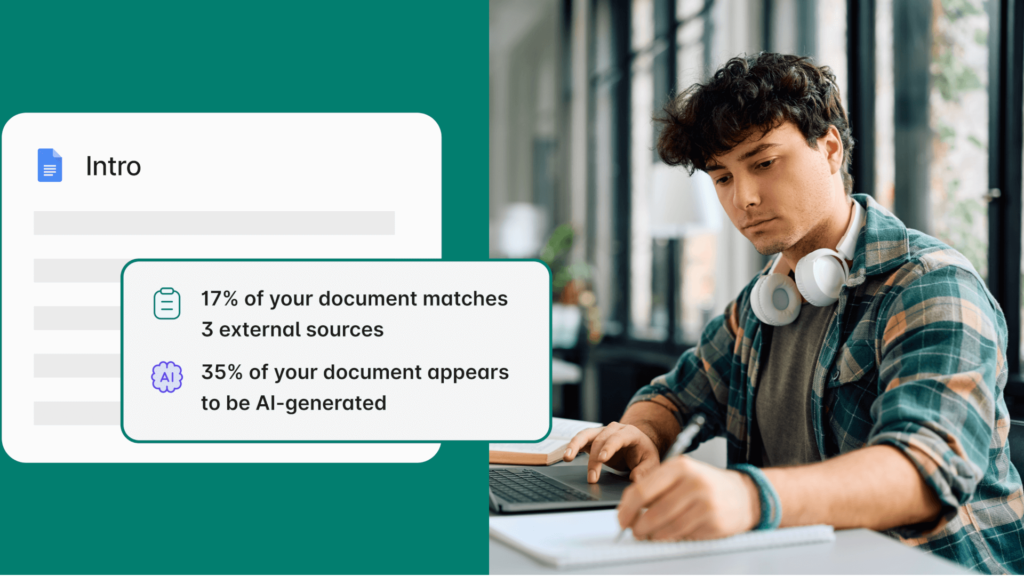
Most students don’t struggle with ideas — they struggle with clarity. Even strong essays can lose marks because of small grammar issues, awkward phrasing, or unclear sentences.
Grammarly fixes that instantly.
Instead of rereading your work multiple times, you get real-time suggestions that improve readability, tone, and structure. It helps your writing sound more polished without making it overly complex.
- Fixes grammar, spelling, and punctuation
- Improves sentence clarity and readability
- Adjusts tone for academic writing
- Helps refine essays and emails
- Saves time on editing and proofreading
It’s not about replacing your writing — it’s about making sure your final version is as strong as possible. If you’re writing essays or papers regularly, you can explore Best AI Tools for Essay Writing (2026) for more options.
Perplexity AI
Perplexity AI is one of the best tools for research, especially when you’re working on essays or projects that require reliable information.
Unlike traditional search engines, it gives you direct answers along with sources. That means you spend less time clicking through websites and more time actually understanding the information.
This is especially useful when you’re trying to quickly gather insights or verify facts without going down a rabbit hole of tabs.
- Provides clear answers with cited sources
- Speeds up research for essays and papers
- Helps verify information quickly
- Reduces time spent searching online
- Makes it easier to find relevant data
For students who write a lot of papers, this can cut research time significantly. For a deeper breakdown of research-focused tools, check out Best AI Tools for Research Papers (2026).
Otter.ai
Otter.ai is one of the most underrated tools for college students, especially in lecture-heavy courses.
Taking notes during lectures can be stressful — you’re trying to listen, understand, and write everything down at the same time. It’s easy to miss important details.
Otter solves that by recording and transcribing lectures automatically.
Instead of worrying about capturing everything in real time, you can focus on understanding the material and go back later to review the full transcript.
- Records and transcribes lectures in real time
- Creates searchable notes
- Helps you revisit important explanations
- Reduces pressure during lectures
- Improves retention by allowing review
It’s especially useful for fast-paced classes where missing one explanation can make everything else harder.
Wolfram Alpha
Wolfram Alpha is one of the most powerful tools for students in technical fields like engineering, math, and science.
It doesn’t just give answers — it shows the steps behind them. That’s what makes it so valuable for learning.
Instead of guessing how a solution was reached, you can see the entire process and understand where you might have gone wrong.
- Solves equations step-by-step
- Explains math and scientific concepts
- Helps verify problem solutions
- Useful for calculus, physics, and engineering
- Improves understanding of technical material
For STEM students, this is one of the most valuable tools you can use alongside AI like ChatGPT. If you’re in a technical major, there are even more tools tailored specifically for you — Best AI Tools for STEM Students (2026) breaks them down.
Canva
Canva is the go-to tool for presentations and visual projects.
Most students spend way too much time trying to make slides look good. Canva removes that friction completely by giving you templates and AI-powered design suggestions.
Instead of worrying about formatting, you can focus on the actual content of your presentation.
- Creates professional presentations quickly
- Offers templates and design suggestions
- Saves time on formatting and layout
- Helps visualize ideas clearly
- Makes projects look polished and organized
If you’ve ever spent hours adjusting slides, this tool will save you a lot of time. For more tools that help with slides and projects, check out Best AI Tools for Presentations (2026).
Best AI Tools by Task (Quick Breakdown)

If you’re not sure where to start, here’s a simple way to think about it:
Studying → ChatGPT, Notion AI
Break down concepts, summarize notes, and create study systems
Writing → Grammarly, ChatGPT
Improve clarity, structure, and overall quality of essays
Research → Perplexity AI
Find accurate information quickly with sources
Productivity → Notion AI
Organize tasks, deadlines, and notes in one place
Presentations → Canva
Create clean, professional slides without wasting time
Study Tools That Pair Well With AI
AI works best when combined with simple tools that help you stay consistent and actually apply what you’re learning.
- Student Planner → Keeps your assignments, deadlines, and priorities organized so you’re not relying on memory or scattered notes. Pairing this with AI helps you stay on track while moving faster through your workload
- Graph Paper Notebook → Great for problem-solving, diagrams, and visual thinking — especially for math, engineering, or any subject where you need to work things out step-by-step instead of just reading answers
- Scientific Calculator → Essential for verifying answers and handling complex calculations, especially when you’re using AI for guidance but still need to check your final work
These tools might seem basic, but they reinforce your understanding while AI speeds up your workflow — giving you both efficiency and real learning.
Common Mistakes Students Make With AI
AI can be a huge advantage, but a lot of students use it in ways that quietly hurt their performance instead of helping it.
One of the biggest mistakes is using AI as an answer generator instead of a learning tool. It might help you finish assignments faster, but if you’re not actually understanding the material, that gap shows up later — especially in exams or technical classes.
Another issue is trying to force one tool to do everything. Not all AI tools are built the same, and using the wrong one for a task often leads to weaker results. For example:
- Using ChatGPT for research without checking sources
- Relying on writing tools for complex technical explanations
- Expecting one tool to handle studying, writing, and organization equally well
Students also tend to trust AI outputs too quickly. While AI is fast, it isn’t perfect — especially for detailed or technical topics — so small mistakes can slip through if you’re not paying attention.
A better approach is to follow a few simple rules as you use AI:
- Use it to guide your thinking, not replace it
- Match the tool to the task you’re working on
- Double-check anything important before relying on it
- Stay actively engaged by asking questions and testing yourself
When you use AI this way, it becomes something that actually strengthens your understanding instead of just helping you move faster.
FAQ
How do you use AI for studying without hurting your learning?
The key is using AI actively instead of passively. Instead of just reading AI-generated summaries, you should ask it to quiz you, explain concepts in multiple ways, or challenge your understanding. For example, after learning something, you can ask AI to generate practice questions or test you on weak areas. This keeps you engaged and actually improves retention instead of weakening it.
Are AI tools good enough to replace textbooks or lectures?
Not completely — and they shouldn’t. AI is best used as a supplement, not a replacement. It’s great for clarifying confusing topics, speeding up review, and filling in gaps, but your core understanding should still come from lectures, textbooks, and practice. Students who try to skip those foundations usually struggle when they’re tested in more depth.
What’s the biggest mistake students make when using AI tools?
The biggest mistake is treating AI like an answer machine instead of a learning tool. Copying responses or relying on it for complete solutions might save time in the short term, but it leads to weak understanding. A better approach is to use AI to guide your thinking — not replace it. Students who do this tend to perform much better long-term.
Do you need to pay for AI tools to get real value?
Not really — most students can get a ton of value from free versions of tools like ChatGPT, Grammarly, and Perplexity. Paid plans can improve speed or unlock extra features, but they’re not necessary to build an effective workflow. If you want a full breakdown of the best no-cost options, check out: Best Free AI Tools for Students (2026).
Conclusion
The best AI tools for college students aren’t about shortcuts — they’re about removing friction from your workflow. Instead of getting stuck on concepts, wasting time searching for answers, or constantly feeling behind, AI helps you move through your work with more clarity and efficiency.
What really makes the difference isn’t the tools themselves, but how you use them. When you combine a few of these tools into a simple system — for studying, writing, research, and organization — you start to save time while also improving the quality of your work. You spend less time on busywork and more time actually understanding and applying what you’re learning.
You don’t need to use everything at once. Start with a couple tools that fit your biggest needs, use them consistently, and build from there. Over time, that small shift in how you work can make college feel far more manageable — and put you ahead of most students still doing everything the hard way.