
If you are a student right now, you have probably already used AI in some way. Maybe you ask it to explain a concept the night before a quiz. Maybe you use it to clean up a paragraph, brainstorm an outline, or help you get unstuck when an assignment starts feeling messy. The problem is not that students are using AI. The problem is that most students are using it randomly.
That is why so many people feel like AI helps sometimes but does not actually make their day feel more organized, focused, or under control. They use it reactively when they are overwhelmed instead of building a real system around it. A strong AI workflow for students is not about asking better one-off prompts. It is about creating a daily routine where AI supports planning, studying, assignments, projects, and review without replacing your thinking.
This post gives you that full system. Not just how to study with AI. Not just how to avoid dependency. A real daily structure for students who want to use AI in a practical way that saves time, improves output, and makes school feel less chaotic.
This is also why many students struggle with over-reliance — something I break down more in How to Use AI Without Getting Lazy (2026) | Student Guide.
Quick Answer: The AI Workflow Students Should Actually Follow
The best AI workflow for students is simple: use AI to plan your day before work starts, use it strategically during assignments and study sessions, and then use it again at the end of the day to review, refine, and prepare for tomorrow.
A strong daily system usually looks like this:
- Plan with AI in the morning so your tasks are prioritized instead of scattered
- Execute your work in focused blocks where AI helps you move faster without doing the thinking for you
- Use AI during study blocks to explain, quiz, summarize, and help you check understanding
- Review with AI at the end of the day so you catch mistakes, identify weak spots, and reset for tomorrow
The goal is not to use AI all day nonstop. The goal is to use it at the right moments.
Why Most Students Use AI Inefficiently
Most students do not have an AI problem. They have a workflow problem. They open ChatGPT or Claude only when they are confused, behind, or stressed. That means AI becomes a last-minute rescue tool instead of part of a consistent system. It can still help, but it will never feel as powerful as it could if it only shows up during panic mode.
A lot of students also confuse access to tools with having a process. They try multiple AI apps, save prompts, watch videos about productivity, and still feel disorganized because there is no repeatable routine underneath it all. The issue is not usually effort. It is lack of structure.
Common reasons students use AI badly:
- Reactive use only: opening AI only when stuck
- No daily routine: no set points where AI is used intentionally
- Tool overload: bouncing between too many apps with no clear roles
- Using AI too early: asking for answers before thinking through the problem
- Using AI too late: waiting until stress is already high
- No review process: trusting AI output without checking it carefully
- No reflection: never asking whether the system is actually improving speed or understanding
If AI feels inconsistent in your life, that usually means your workflow is inconsistent too.
The Ultimate Daily AI Workflow for Students
This is the core system. The idea is not to copy every detail perfectly, but to build a daily rhythm that makes AI useful from the start of the day to the end.
Morning (Planning Phase)
The first mistake students make is starting work without deciding what matters most. They wake up, check messages, remember assignments randomly, and immediately feel scattered. AI fixes this by turning chaos into structure.
In the morning, spend 5–10 minutes using AI to build a clear plan for the day. This removes decision fatigue and lets you start working with intent instead of guessing.
Use AI here to:
- list everything due today and upcoming
- prioritize tasks based on urgency and difficulty
- break large assignments into smaller steps
- estimate how long each task should take
- build a simple schedule or time blocks
Why this works: you eliminate mental clutter early, so your brain can focus on execution instead of planning all day.
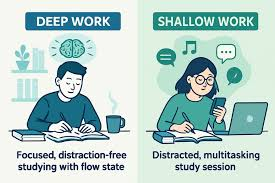
Deep Work Blocks (Assignments & Projects)
This is where most of your real output happens. The key is using AI as a support system, not the main driver. You should still be thinking, writing, solving, and building — AI just accelerates the process.
During these blocks, AI should help you move forward when needed, not replace the work entirely.
Use AI in deep work like this:
- clarify confusing instructions
- brainstorm approaches before starting
- debug or refine ideas mid-task
- improve structure (especially for writing or reports)
- check logic without giving full answers immediately
Example:
Instead of asking “solve this problem,” ask:
👉 “walk me through how to approach this step-by-step without giving the final answer yet”
Why this works: you stay mentally engaged while still saving time.
Study Blocks (Learning & Understanding)
This is where AI shifts from productivity tool to learning tool. The goal here is not to finish tasks — it is to actually understand material so you do not need AI later.
Keep this phase intentional so you are not just passively consuming explanations.
Use AI for studying like this:
- explain difficult concepts in simpler terms
- generate practice questions or quizzes
- summarize lectures into key takeaways
- test your understanding with follow-up questions
- compare different explanations of the same topic
Why this works: you turn AI into an active learning partner instead of a shortcut.
If you want a deeper breakdown specifically for studying, check out How to Use AI for Studying (2026) | Step-by-Step Workflow, where I go much more in-depth on learning strategies.
Review Phase (Fix & Improve)
Most students skip this step, which is why they repeat the same mistakes. Reviewing with AI helps you refine your work and catch issues before submission.
This phase is short but extremely high value.
Use AI during review to:
- check clarity and structure
- identify weak explanations
- verify reasoning or logic
- suggest improvements without rewriting everything
- highlight gaps in understanding
Why this works: small corrections compound into significantly better output over time.
Evening Reset (Next-Day Prep)
Ending your day without a reset leads to stress the next morning. Instead, spend a few minutes closing the loop so tomorrow starts clean.
Use AI here to:
- summarize what you completed today
- identify what still needs work
- plan top 3 priorities for tomorrow
- adjust workload if you were over/underestimating
Why this works: you reduce anxiety and start the next day with clarity instead of confusion.
How AI Fits Into Different Tasks
AI should not feel like a separate tool you occasionally open. It should naturally fit into the type of work you are doing.
For assignments:
- break down prompts
- outline answers
- refine explanations
For studying:
- simplify concepts
- generate quizzes
- reinforce weak areas
For writing:
- improve clarity and flow
- restructure paragraphs
- fix grammar without changing meaning
For projects:
- brainstorm ideas
- debug issues
- organize steps
The key is matching AI to the task, not forcing it everywhere. This becomes even more important during high-pressure periods like exams, where your workflow needs to be more focused and efficient — something I break down further in Best AI Tools for Exam Prep (2026).
Real Tool Stack (What to Actually Use)
You don’t need a bunch of tools. You need a small, consistent stack where each one has a clear role in your workflow. That’s what actually makes this system sustainable.
ChatGPT — your primary daily tool
- best for general tasks and quick explanations
- great for structured outputs like outlines and breakdowns
- useful for brainstorming ideas and writing
- reliable for most day-to-day academic work
This is the tool you’ll use the most throughout your workflow.
Claude — for deeper work
- better for handling long documents
- stronger at deeper reasoning and more thoughtful responses
- produces cleaner, more natural writing refinement
Use this when your tasks require more depth, especially for projects or longer assignments.
Optional tools (only if you actually need them):
Notion AI
- helps organize notes and systems
- useful for planning your weekly workflow
- good for storing tasks and structured information
Grammarly
- improves grammar and clarity
- polishes final drafts
- adjusts tone without changing meaning
Keep your stack simple. The more tools you add, the harder it is to stay consistent — and consistency is what makes this AI workflow actually work.
Common Workflow Mistakes
Even with a system, small mistakes can ruin effectiveness. Most of these come from misusing AI at the wrong time.

Watch out for:
- No structure: using AI randomly throughout the day
- Tool switching constantly: breaking focus and flow
- Using AI too early: skipping thinking entirely
- Over-reliance: trusting outputs without understanding
- No review step: submitting work without refinement
Fixing these is less about effort and more about discipline in how you use AI.
Study Setup That Supports This Workflow
YourYour environment plays a bigger role in this system than most people realize. If your setup creates distractions or friction, even the best AI workflow will feel harder to follow consistently.
You don’t need anything complicated — just a few tools that support focus, structure, and execution throughout the day.
- Noise-cancelling headphones → help you stay locked in during deep work blocks without distractions
- Pomodoro timer → reinforces structured work sessions and prevents burnout during longer study periods
- Sticky note study planner → keeps your daily priorities visible so your workflow stays clear and intentional
These tools make it much easier to stick to a consistent system — especially when your days get busy.
How to Know If Your AI Workflow Is Working
A good workflow should make your life feel easier, not more complicated. If you are doing it right, you will notice changes quickly.
Ask yourself:
- are you finishing tasks faster?
- are you less overwhelmed starting your day?
- are you understanding material better?
- are you relying slightly less on AI over time?
- are your outputs improving in quality?
If the answer is yes to most of these, your system is working.
FAQ
How do I know if I’m using AI too much in my workflow?
A good signal is whether you can still complete tasks without it. If you feel stuck the moment AI isn’t available, you’re over-relying. A strong workflow should use AI to speed things up, not make you dependent on it.
Should I use AI at the start of a task or only when I’m stuck?
Use it after you’ve thought through the problem first. Starting with AI can weaken your understanding, but using it too late can slow you down. The best approach is to attempt → then use AI to refine or guide.
What’s the biggest mistake students make when building an AI workflow?
Trying to use AI everywhere instead of using it intentionally. A good workflow has clear moments where AI is used and clear moments where it’s not.
How can I make this workflow consistent when my schedule changes every day?
Focus on phases, not exact timing. As long as your day includes planning, deep work, studying, and review, the system will still work even if your schedule shifts.
Conclusion
Most students don’t struggle because they lack tools — they struggle because they lack a system. AI doesn’t automatically make you more productive. Without structure, it just becomes another distraction or shortcut.
The difference is in how you use it.
When you build a clear workflow — planning your day with AI, using it intentionally during work, and reviewing your output at the end — everything starts to feel more controlled. You stop reacting to assignments and deadlines, and start approaching your work with direction.
Over time, something even more important happens: you rely on AI less for answers and more for refinement. Your thinking improves, your output gets sharper, and your workflow becomes faster without feeling rushed.
That’s the goal.
Not using AI more — but using it better, within a system you can actually follow every day.
1 thought on “The Ultimate AI Workflow for Students (2026) | Daily System That Actually Works”